Engineering Diagram TakeoffODTakeoff
Automate your diagram takeoff in one click, with human review.
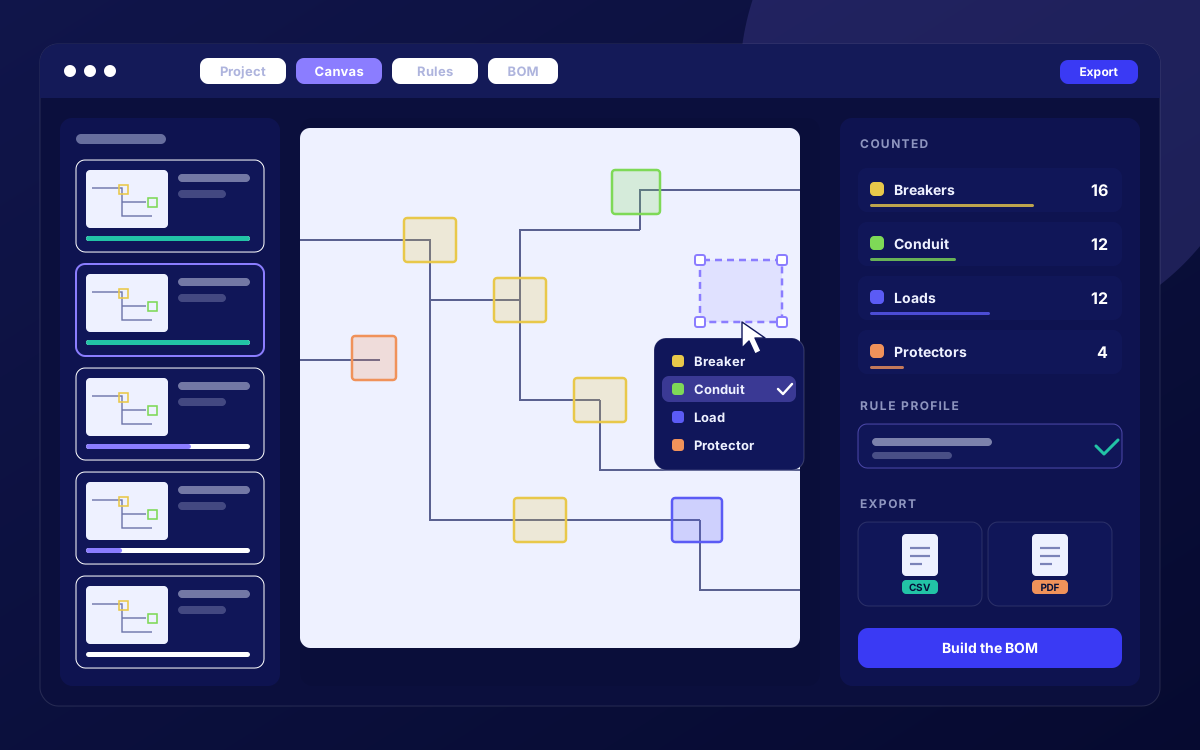
How it works
- 1
Send 5 to 10 sample drawings.
Share past projects in PDF, image, or DWG format. We use them as a starting point and gather more similar drawings to build a full training set.
- 2
We train your model.
We either use our existing computer vision models or train a new one on your symbols, legends, and drawing conventions.
- 3
Run takeoffs on new bid sets.
Upload new drawings and get counts back automatically, plus lengths for trades that need them.
- 4
Review and export.
Your team checks and corrects results in our verification workflow, then exports the final numbers in whatever format you need.
Features
Trained on your drawings
Your model learns your symbols, legends, and conventions, so results match how your team reads plans.
Counts and lengths
Automatic counts on every sheet, plus length measurements depending on the trade.
Human verification workflow
Review and correct results before they’re final, so your estimators stay in control of every number.
Multiple trades
Electrical, mechanical, and HVAC Supported today, and we can quickly train new models for other trades.
Multiple formats
Works with the files you already receive including PDF, image, and DWG.
Custom exports
Get results in whatever format your estimating workflow uses.
Custom integrations
Send takeoff data straight into your business systems, including ERPs like Oracle NetSuite.
Private models available
Your data and model can be kept separate from our general models if needed.
Use case
A construction firm added ODTakeoff to its preconstruction workflow. After we trained a model on the firm’s past drawings, takeoffs take an estimated 83% less time, and estimators spend their hours pricing and reviewing instead of counting.
Spend less time counting and more time bidding
See how a model trained on your drawings fits your workflow.
Talk to an Expert